Press kit
Everything you need to write about Redact Guard. Use any of it freely, no need to ask. If you'd like a license to try the app for a review, email support@redactguard.app and I'll send one.
Fact sheet
- Name
- Redact Guard (two words)
- Developer
- Duc Trung Mai, independent
- Released
- September 26, 2026
- Version
- 1.0.1
- Requires
- macOS 15 Sequoia or later, Apple silicon and Intel
- Price
- $19 one-time, 2 Macs, 14-day free trial
- Languages
- English, Vietnamese, Simplified Chinese, Japanese, German, French, Spanish, Brazilian Portuguese
- Website
- redactguard.app
In one sentence
Redact Guard is a Mac menu bar app that blacks out passwords, card numbers and API keys in screenshots and copied images before you share them.
Short description
Redact Guard sits in the menu bar and checks every new screenshot and every image you copy. When it finds a password, a card number, a phone number or an API key, it covers it before the image reaches Slack, a GitHub issue or an AI chat. It all happens on the Mac: nothing is uploaded, and there is no account.
Longer description
Screenshots leak secrets because nobody reads them before hitting paste. A terminal shows a .env file, a dashboard shows a live key, a checkout page shows a full card number. Redact Guard is built for that moment.
It watches the screenshot folder, Downloads and any folder you choose, and it also covers images that never touch the disk, like captures made with ⌃⇧⌘4 or pictures copied from another app. Text is recognized on the Mac itself, and 35+ built-in detectors cover cloud and AI keys, tokens, private keys, database URLs, card numbers, IBANs, emails and phone numbers. You can add your own rules in plain words, like "looks like CUS-004213".
Every style fills the secret with a solid box first, so there is nothing to un-blur. The original stays in a private Journal for 24 hours, so any redaction can be undone with one click. Redact Guard costs $19 once, with a14-day free trial.
Worth knowing
- Works with the screenshot tools people already use. There's nothing new to learn or remember.
- Covers clipboard captures and copied images, not only files on disk.
- Blur and Mosaic are drawn from made-up text on top of a solid box, never from the real pixels.
- Goes online only to check for updates and to activate a license. No analytics, no account.
App icon
Download PNG · 1024 × 1024, transparent background
Screenshots
Click an image to open the full size version.
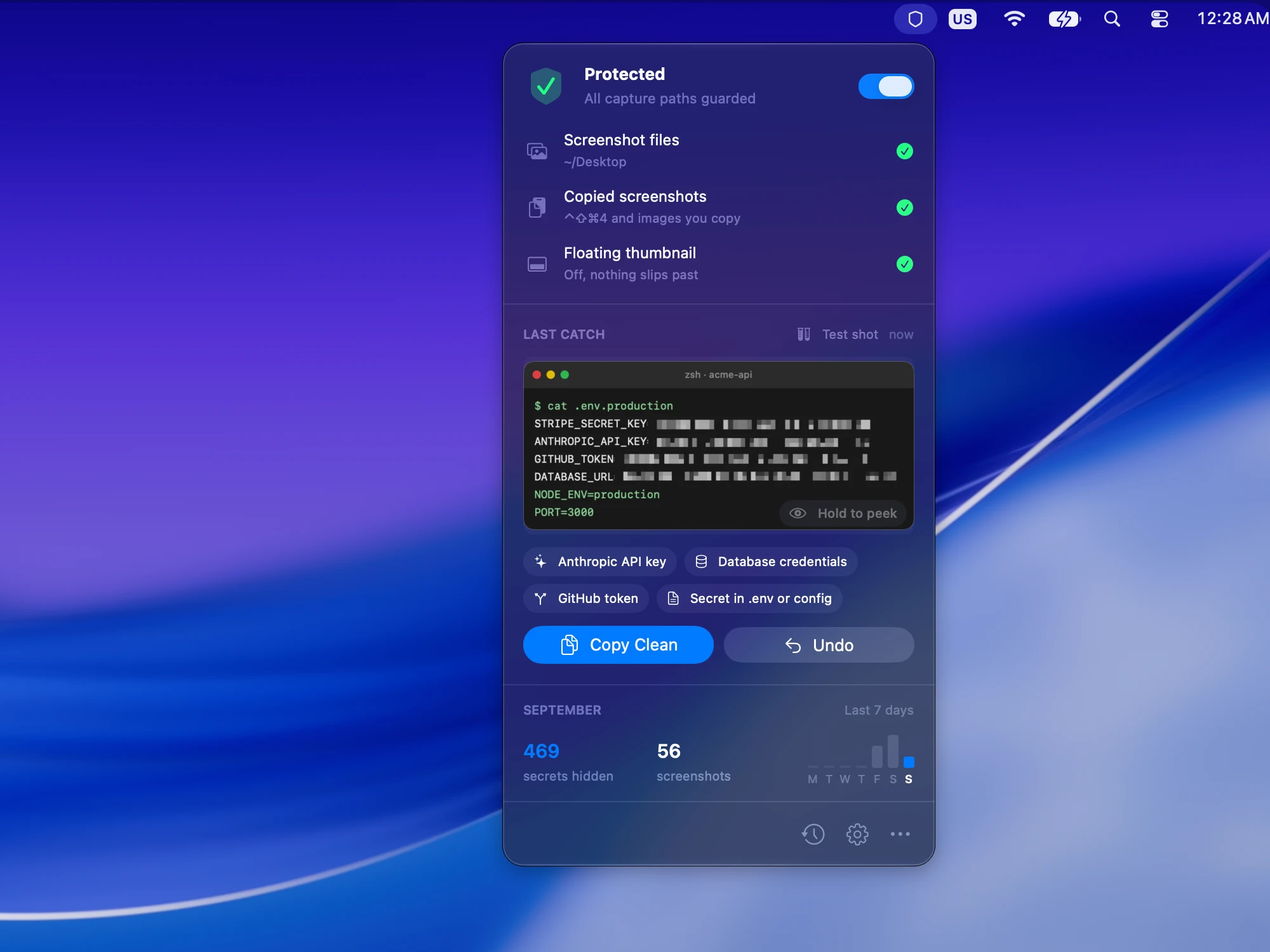 The menu bar panel with the latest catch · 2000 × 1500
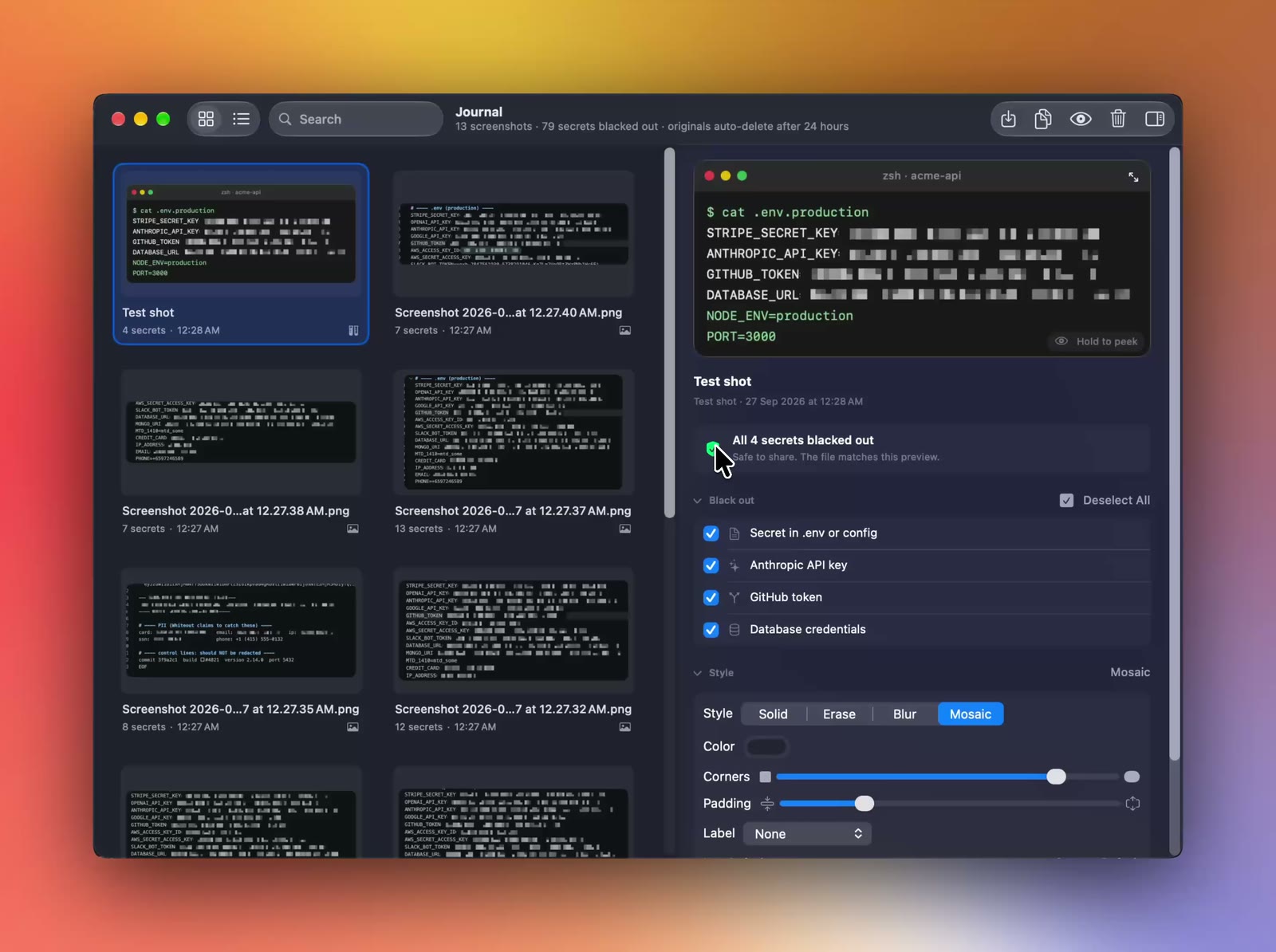 The Journal, where every catch can be undone · 1600 × 1194
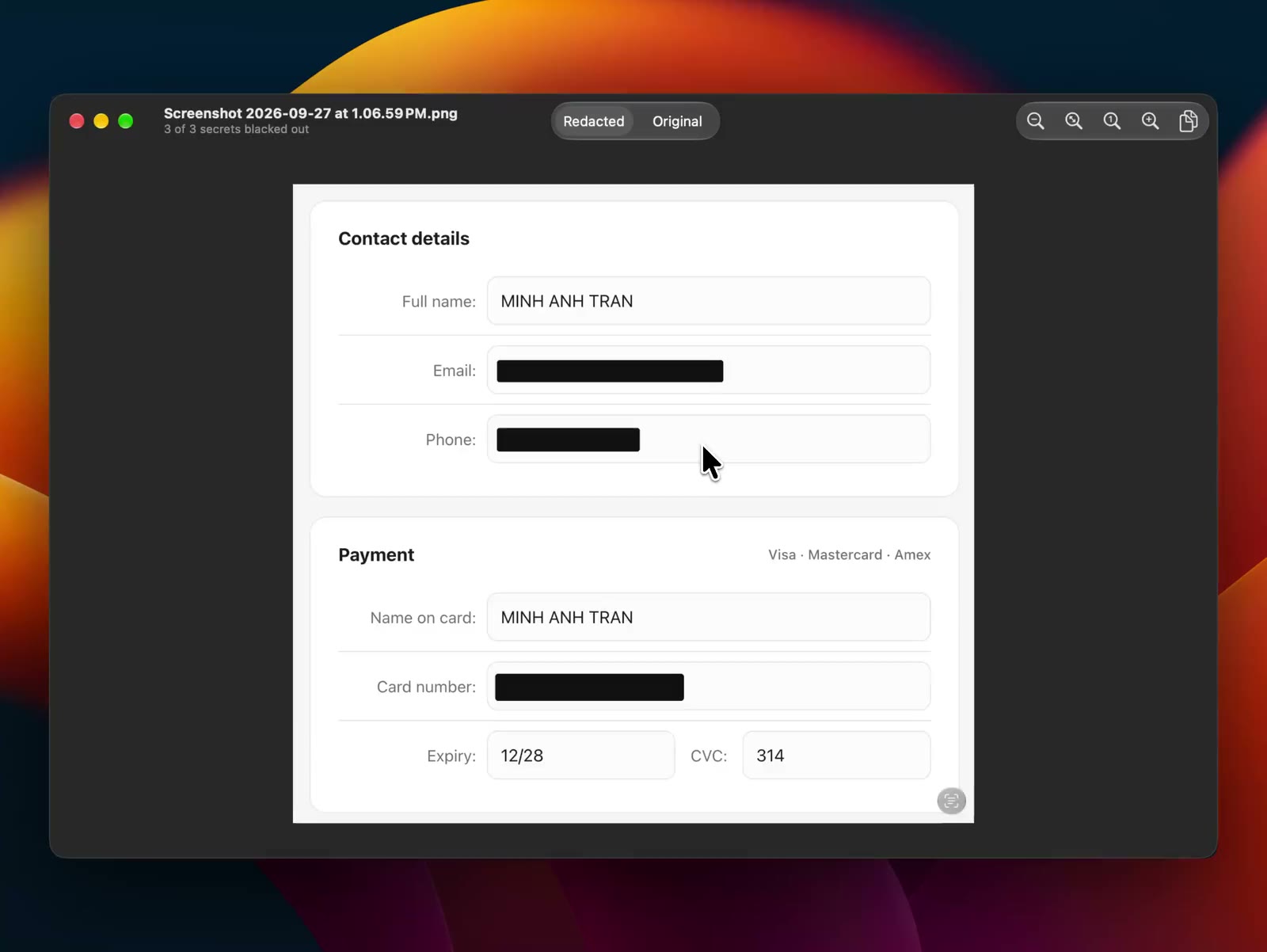 A redacted screenshot in the preview window · 1600 × 1202
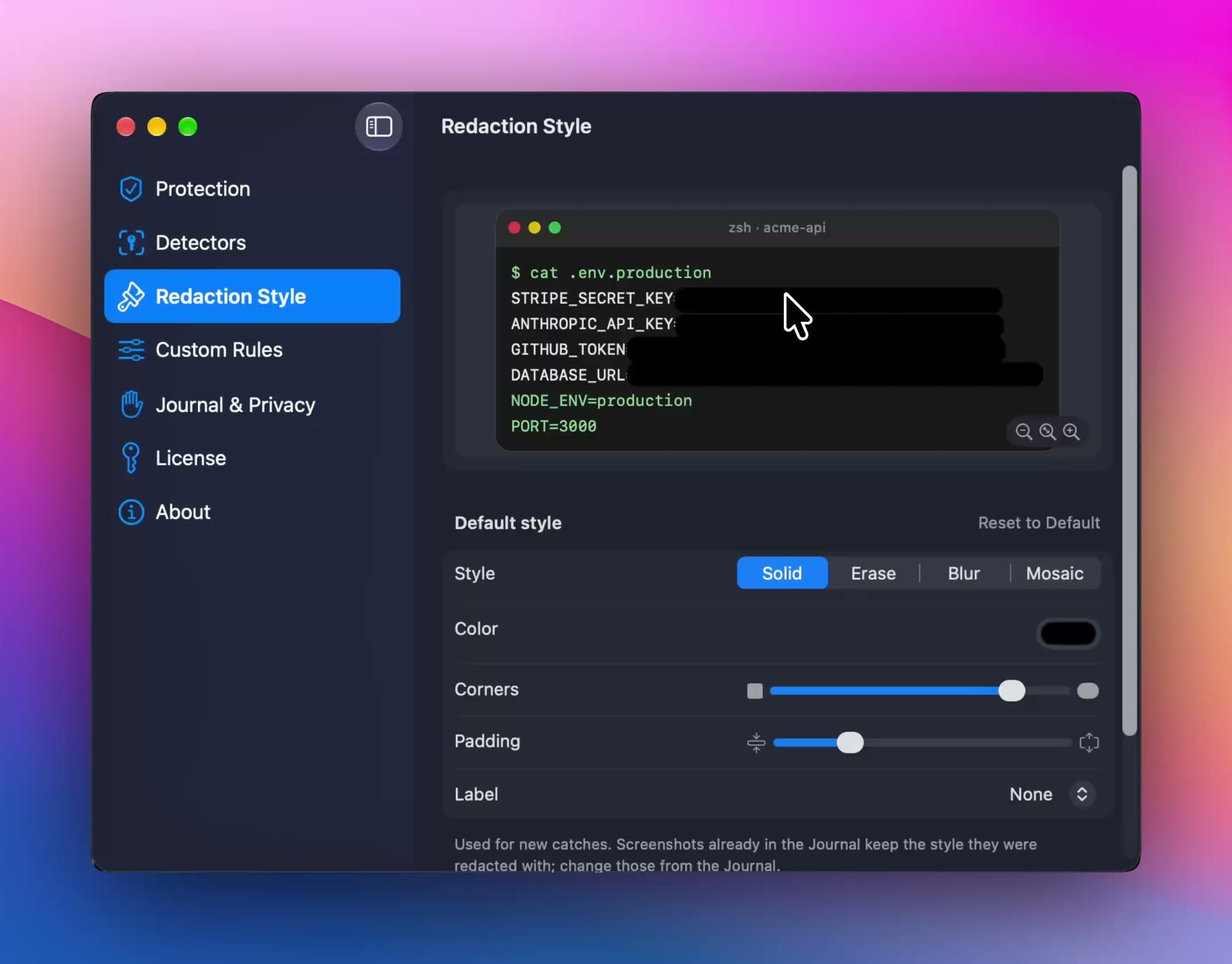 Choosing a redaction style in Settings · 1600 × 1252
Videos
- Screenshot a checkout page, paste it into a chat, secrets already covered (MP4, no sound)
- Copy an image of API keys, paste it: the keys are blacked out (MP4, no sound)
Please write the name as "Redact Guard", with a space. All screenshots use made-up data; none of the keys or card numbers in them are real.